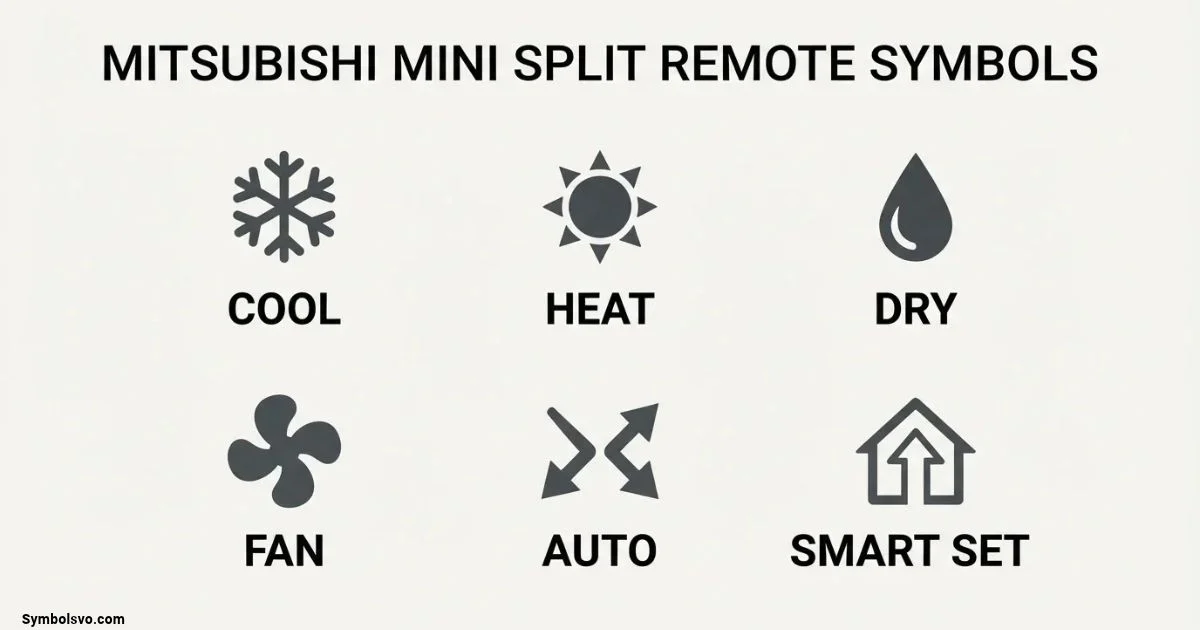
Mitsubishi mini split remote symbols help you control your air conditioner’s temperature, operating mode, fan speed, and airflow direction. However, when you look at the remote’s display for the first time, some icons can be confusing. A snowflake, water droplet, sun, fan, or group of indicator bars might appear without explaining what each one does.
Understanding these symbols makes it easier to choose the right settings for your room. You can cool your space during hot weather, reduce excess humidity on damp days, warm the room during winter, and adjust airflow without guessing which button to press.
This guide explains Mitsubishi Mini Split Remote Symbols and Meanings, including common display icons, physical buttons, operating modes, fan-speed indicators, VANE settings, WIDE VANE controls, and the Econo Cool feature. You’ll also learn how to use the remote, choose practical settings, and troubleshoot common control problems.
One important detail: Mitsubishi Electric and Mitsubishi Heavy Industries manufacture different air conditioning systems. Their remote controls don’t always share the same layout or functions. This guide focuses mainly on Mitsubishi Electric wall-mounted mini splits and identifies model-dependent features where necessary.
Mitsubishi Mini Split Remote Symbols and Meanings
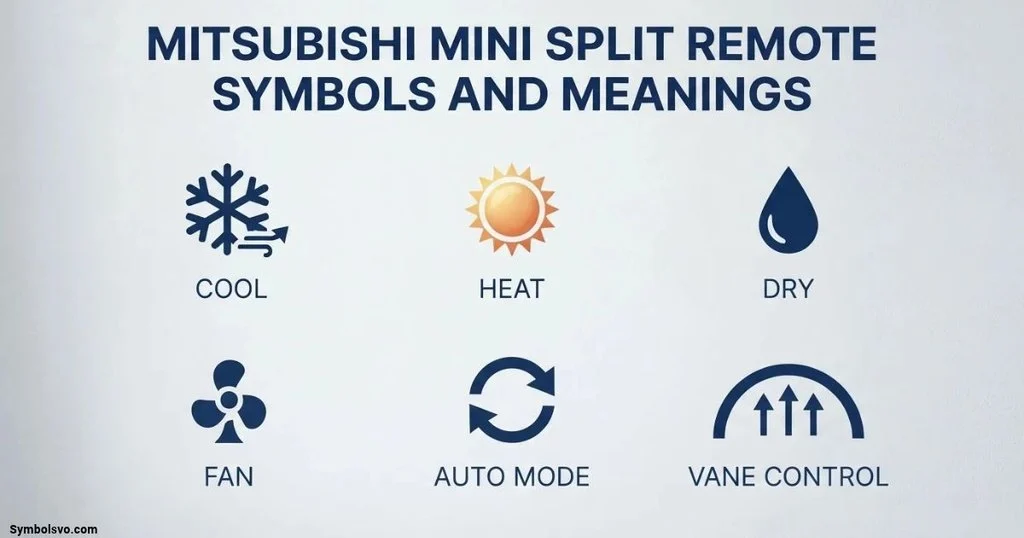
A Mitsubishi mini split remote uses symbols and text indicators to show which functions you’ve selected. Some icons represent operating modes, while others show fan speed, temperature, timer settings, or airflow direction.
The following table explains common Mitsubishi air conditioner remote symbols.
| Symbol or display label | Meaning | Function |
| AUTO | Automatic mode | Selects heating or cooling operation automatically |
| ❄️ Snowflake | COOL mode | Cools the room |
| 💧 Water droplet | DRY mode | Reduces indoor humidity |
| ☀️ Sun | HEAT mode | Warms the room |
| Fan icon | FAN mode | Circulates indoor air |
| Fan-speed bars | Fan speed | Indicates the selected airflow speed |
| VANE | Vertical airflow | Adjusts up-and-down airflow |
| WIDE VANE | Horizontal airflow | Adjusts left-and-right airflow |
| ECONO COOL | Energy-saving cooling | Adjusts airflow and temperature settings for efficient cooling |
| POWERFUL | Powerful operation | Provides stronger heating or cooling when supported |
| Clock | Timer or clock | Displays time or scheduled operation |
| ON | ON timer | Schedules the unit to start |
| OFF | OFF timer | Schedules the unit to stop |
| i-save | Saved setting | Recalls a stored operating preference on supported models |
| Temperature digits | Set temperature | Displays the selected temperature |
| Signal indicator | Transmission | Indicates that the remote is sending a command |
Remember: Not every Mitsubishi remote displays all these symbols. Your remote’s exact functions depend on its model, the indoor unit, and the installed features.
AUTO Mode Symbol
The AUTO symbol represents automatic operating mode. Instead of manually choosing heating or cooling, you let the air conditioner select an appropriate operating function.
On compatible Mitsubishi Electric systems, AUTO mode compares the room temperature with your selected temperature. The unit then determines whether it needs to cool or heat the room.
For example, imagine setting your air conditioner to 24°C. If the room becomes warmer than the target temperature, the unit may select cooling. If the room becomes too cold, it may switch to heating when the system supports automatic changeover.
However, automatic operation doesn’t work identically across every Mitsubishi model. Some systems use different temperature-control logic or don’t offer AUTO mode.
When should you use AUTO?
- When you want automatic temperature management.
- When room conditions change throughout the day.
- When you don’t want to switch between heating and cooling manually.
- When your model supports automatic changeover.
Don’t confuse AUTO operating mode with AUTO fan speed. The first controls the air conditioner’s operating function. The second lets the unit adjust airflow automatically.
COOL Mode: Snowflake Symbol
The snowflake symbol represents COOL mode on many Mitsubishi mini split remotes. Select this setting when you want the air conditioner to lower the room temperature.
During cooling operation, the indoor unit circulates room air across its cold heat exchanger. The refrigerant system transfers heat outside, allowing the indoor air to become cooler.
You can adjust the target temperature using the temperature buttons.
For example, if your room feels uncomfortable at 30°C, you might select a lower target temperature. The air conditioner then works toward that setting.
Use COOL mode when:
- Outdoor temperatures are high.
- Your room feels warmer than your preferred temperature.
- You want regular air conditioning rather than dehumidification alone.
- You need consistent cooling during the afternoon.
Keep in mind that selecting an extremely low temperature doesn’t necessarily cool a room faster. Cooling performance also depends on the unit’s capacity, outdoor conditions, insulation, room size, and heat entering through windows and doors.
DRY Mode: Water Droplet Symbol
The water droplet represents DRY mode, also called dehumidification mode.
This setting helps remove excess moisture from indoor air. During operation, the air conditioner cools air across its indoor heat exchanger so moisture can condense and drain away.
Unlike normal COOL mode, DRY mode focuses more on humidity reduction than reaching a particular cooling target.
You may find it useful during humid weather when the room feels sticky even though the temperature isn’t especially high.
When should you select DRY mode?
- During damp or humid conditions.
- When indoor air feels uncomfortable because of moisture.
- When you want dehumidification rather than strong cooling.
One important difference is that fan speed may be controlled automatically in DRY mode. Some Mitsubishi remotes won’t let you choose a separate fan speed while dehumidification is active.
HEAT Mode: Sun Symbol
The sun symbol represents HEAT mode on Mitsubishi mini splits equipped with heating capability.
Mitsubishi Electric heat pumps can transfer heat from outdoor air into your home. This process allows the system to provide heating without relying on conventional electric resistance heating as its primary method.
When you select HEAT mode, the indoor unit works toward your chosen temperature.
However, warm air may not appear immediately after starting the system. The unit may first warm its heat exchanger before delivering comfortable airflow.
During colder weather, the outdoor unit can also accumulate frost. Automatic defrost operation removes this buildup. Heating may temporarily pause while the system completes that process.
Use HEAT mode when:
- Indoor temperatures become uncomfortable during winter.
- You want to warm a bedroom or living area.
- Your mini split supports heat pump operation.
If your remote doesn’t show a heating option, check the indoor unit’s model specifications. Cooling-only systems don’t provide heating simply because another Mitsubishi remote includes a sun symbol.
FAN Mode: Fan Symbol
The fan symbol represents FAN mode. It operates the indoor fan to circulate room air without actively providing normal heating or cooling.
Think of it as an air circulation setting rather than a temperature-control mode.
For example, you might use FAN mode when the room already feels comfortable but the air seems stagnant. It moves indoor air without asking the system to provide active cooling or heating.
FAN mode is useful when:
- You want indoor air circulation.
- The room doesn’t need additional cooling.
- You want airflow without normal heating or cooling operation.
Remember that FAN mode doesn’t perform the same job as COOL or HEAT. It mainly moves air around the room.
Mitsubishi Mini Split Remote Buttons and Their Functions
The symbols on your remote’s LCD display aren’t the same as its physical buttons. Buttons send commands, while display indicators show the selected settings.
Although layouts vary, many Mitsubishi Electric mini split remotes include the following controls.
ON/OFF Button
The ON/OFF button starts or stops air conditioner operation.
Press it once to turn on the indoor unit. Press it again when you want to stop normal operation.
After receiving the command, the indoor unit may produce a beep or show an operation indicator. This response helps confirm that the remote communicated with the system.
MODE Button
The MODE button changes the operating mode.
Depending on the model, pressing it repeatedly may cycle through:
- AUTO
- COOL
- DRY
- HEAT
- FAN
Check the remote display after each press. The selected symbol identifies the current operating mode.
Some systems don’t offer all five options. For example, heating and fan-only functions may depend on the indoor unit and product series.
Temperature Up and Down Buttons
These buttons increase or decrease the target temperature.
The display normally shows the selected temperature in Celsius or Fahrenheit, depending on the remote configuration.
For example:
- Press the upward arrow to increase the target temperature.
- Press the downward arrow to decrease it.
- Check the display to confirm the new setting.
A useful distinction: the temperature displayed on the remote usually represents the selected target, not necessarily the actual temperature in the room.
FAN Button
The FAN button adjusts the indoor fan speed.
On compatible Mitsubishi Electric models, pressing it repeatedly cycles through available settings such as AUTO, QUIET, LOW, MED, HIGH, and SUPER HIGH.
The available choices depend on the model.
VANE Button
The VANE button adjusts vertical airflow direction.
It changes the angle of the horizontal flap that directs air upward or downward. Depending on the remote, you can select fixed positions, automatic positioning, or swing operation.
WIDE VANE Button
The WIDE VANE button controls horizontal airflow direction on supported models.
It adjusts the direction of airflow toward the left or right side of the room.
Some models offer automatic horizontal swing, while others provide different directional options.
ECONO COOL Button
The ECONO COOL button activates an energy-saving cooling function.
It changes airflow behavior and may adjust the cooling temperature setting automatically. The exact operation depends on the model.
POWERFUL Button
The POWERFUL button activates a temporary high-performance operating function on compatible systems.
It helps the air conditioner respond more strongly when you want to cool or warm a room quickly.
However, powerful operation may increase energy use and operating noise. It isn’t necessary for everyday temperature maintenance.
TIMER and CLOCK Buttons
These controls help you schedule air conditioner operation.
Depending on the remote, you may be able to:
- Set the current clock time.
- Schedule the indoor unit to start.
- Schedule the indoor unit to stop.
- Cancel an existing timer.
- Program recurring weekly operation.
Some Mitsubishi remotes use separate ON and OFF timer controls. Others have a different button arrangement.
RESET Button
A RESET button or small recessed reset switch may appear on certain remotes.
It helps restore the remote’s settings or initialize its operation after certain problems. Some Mitsubishi remotes label this control ACL instead.
Resetting the remote isn’t the same as resetting the indoor air conditioner or its electrical system.
Mitsubishi Mini Split Operating Modes Explained
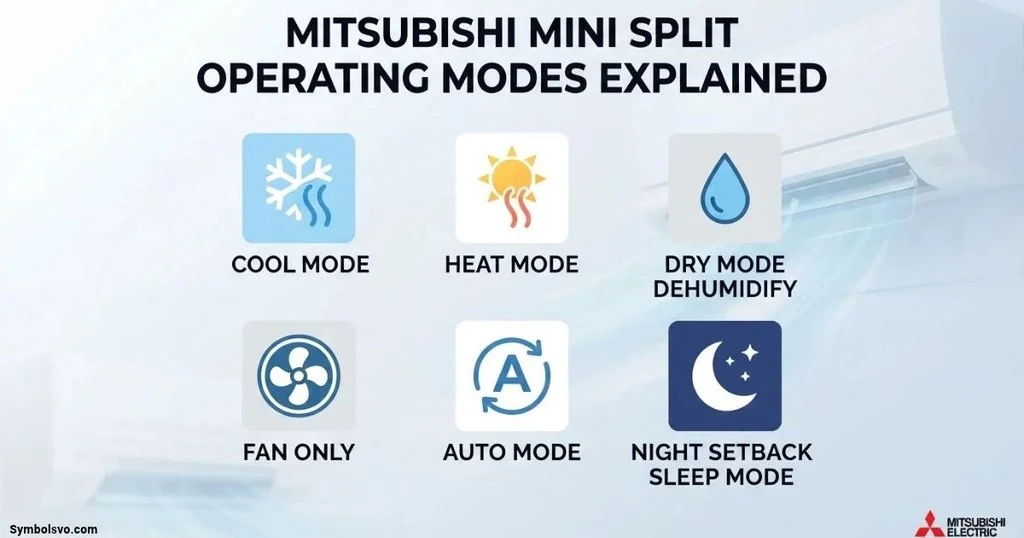
Understanding the operating modes helps you choose the correct function for different weather conditions.
| Mode | Primary purpose | Recommended situation |
| AUTO | Automatic operation | Changing room conditions |
| COOL | Lower temperature | Hot weather |
| DRY | Reduce humidity | Humid weather |
| HEAT | Raise temperature | Cold weather |
| FAN | Circulate air | When active heating or cooling isn’t needed |
How AUTO Mode Works
AUTO mode allows the air conditioner to select an operating function according to the system’s control logic.
You select your preferred temperature, and the unit manages its operation to maintain comfortable conditions.
It’s convenient when you don’t want to keep switching between modes. However, some people prefer manual COOL or HEAT settings because they want direct control over the system’s behavior.
How COOL Mode Works
COOL mode activates the system’s cooling cycle.
The indoor heat exchanger absorbs heat from the room while the outdoor unit releases that heat outside.
For comfortable operation, choose a reasonable target temperature rather than setting the lowest available number.
How DRY Mode Works
DRY mode removes moisture through condensation.
As indoor air passes across the cold heat exchanger, water vapor condenses into liquid water. The condensate then drains away through the system’s drainage arrangement.
Because dehumidification is the main goal, the indoor fan may run at a reduced or automatically controlled speed.
How HEAT Mode Works
HEAT mode reverses the heat pump’s operation.
The outdoor unit extracts heat from outside air and transfers it indoors. Even when outdoor air feels cold, it still contains thermal energy that a heat pump can use.
During defrost operation, the system may temporarily stop delivering warm air. This is a normal part of operation under certain outdoor conditions.
How FAN Mode Works
FAN mode runs the indoor fan to move room air.
It doesn’t replace cooling or heating. If your room is too hot, choose COOL. If it’s too cold, choose HEAT on a compatible model.
Mitsubishi Mini Split Fan Speed Symbols and Settings
Fan-speed symbols indicate how quickly the indoor unit moves air through the room.
Mitsubishi Electric remotes may provide several fan-speed options. Some display words, while others use bars or other small indicators.
| Fan setting | Meaning | Main benefit |
| AUTO | Automatic speed | Adjusts airflow as needed |
| QUIET | Reduced fan noise | Quieter operation |
| LOW | Gentle airflow | Light air circulation |
| MED | Medium airflow | Balanced operation |
| HIGH | Strong airflow | Faster air movement |
| SUPER HIGH | Maximum available manual speed | Stronger airflow when needed |
AUTO Fan Speed
AUTO fan speed lets the air conditioner adjust airflow according to operating conditions.
For example, when the room needs substantial cooling, the unit may increase fan speed. As conditions approach the target temperature, it may reduce airflow.
This can provide a balance between comfort and noise.
QUIET Fan Setting
QUIET reduces fan noise by using a quieter airflow setting where supported.
It’s useful in bedrooms, reading areas, and other spaces where background noise can become distracting.
However, lower airflow may take longer to distribute conditioned air throughout a large room.
LOW Fan Speed
LOW provides gentle airflow.
Use it when you don’t need strong air movement or when you want a softer indoor environment.
It can also help reduce the sound of indoor fan operation.
MED Fan Speed
MED offers a middle setting between gentle and strong airflow.
It’s a practical option for everyday operation when AUTO isn’t your preferred choice.
HIGH Fan Speed
HIGH increases airflow through the indoor unit.
It can help distribute conditioned air more quickly, especially when the room needs a stronger cooling or heating response.
SUPER HIGH Fan Speed
SUPER HIGH provides a stronger fan setting than HIGH on supported models.
It’s useful when you need more airflow, although higher fan speeds generally produce more noticeable operating noise.
Not every Mitsubishi remote includes this setting.
What Do the Bars on a Mitsubishi Fan Symbol Mean?
Some remotes use small bars to represent the selected fan speed.
Generally, more illuminated bars indicate stronger airflow. Fewer bars indicate a lower setting.
However, don’t assume that every Mitsubishi remote uses the same number of bars or display arrangement.
Check the fan-speed labels or the remote’s operating manual to identify the exact indicator.
How to Adjust Fan Speed on a Mitsubishi Mini Split
Follow these steps:
- Turn on your Mitsubishi mini split.
- Select COOL, HEAT, or another suitable operating mode.
- Locate the FAN button.
- Press it to cycle through the available speeds.
- Watch the LCD display.
- Stop when the desired setting appears.
If the speed doesn’t change, check whether your selected operating mode automatically controls fan speed.
Mitsubishi VANE and WIDE VANE Settings Explained
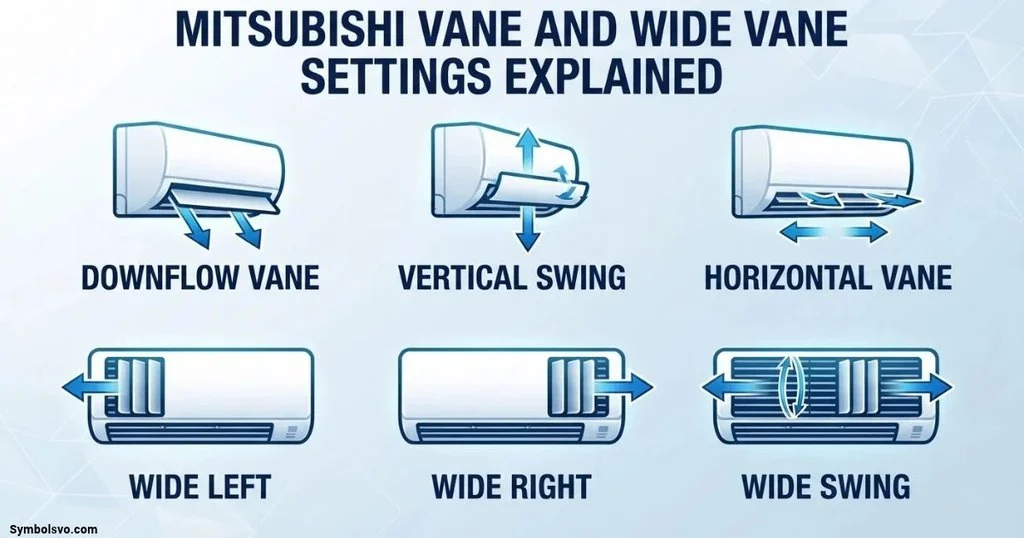
Airflow direction matters just as much as temperature. A room may reach its target temperature but still feel uncomfortable if conditioned air doesn’t reach the occupied areas.
Mitsubishi Electric remotes with separate VANE and WIDE VANE controls let you adjust airflow in two directions.
What Does the VANE Button Do?
The VANE button controls vertical airflow direction.
It adjusts the horizontal flap inside the indoor unit. Depending on the selected position, air travels more upward or downward.
Common VANE selections include:
- AUTO
- Position 1
- Position 2
- Position 3
- Position 4
- Position 5
- SWING
These positions are available on certain Mitsubishi Electric models, not every product.
What Do VANE Positions 1 to 5 Mean?
The numbered positions represent different vertical flap angles.
They let you choose how the indoor unit directs conditioned air into the room.
A higher or lower number doesn’t mean higher fan speed. It represents a different airflow direction.
The actual angle associated with each number depends on the model.
During cooling and dehumidification, some Mitsubishi Electric units automatically move the vane upward after a period of operation when a lower position could cause condensation to drip.
This protective behavior is one reason you shouldn’t force the flap into a different position by hand.
What Does SWING Mean on a Mitsubishi Mini Split Remote?
SWING means the airflow vane moves repeatedly rather than remaining at one fixed angle.
Instead of directing air toward one specific area, the indoor unit changes its airflow direction over time.
Swing operation can help distribute air across a larger section of the room.
Use it when:
- You want wider vertical air distribution.
- You don’t want air constantly directed at one location.
- You want more even airflow movement.
What Does WIDE VANE Mean?
WIDE VANE controls horizontal airflow direction on Mitsubishi Electric remotes that support this function.
While VANE adjusts the up-and-down direction, WIDE VANE adjusts the left-and-right direction.
Depending on the model, you may be able to select different horizontal positions or automatic swing.
VANE vs. WIDE VANE: What’s the Difference?
| Feature | VANE | WIDE VANE |
| Direction | Up and down | Left and right |
| Controlled part | Horizontal flap | Vertical airflow louvers |
| Main purpose | Vertical airflow distribution | Horizontal airflow distribution |
| Common function | Fixed positions and swing | Horizontal positioning or swing |
| Availability | Model-dependent | Model-dependent |
Important: Use the remote to adjust motorized vanes. Don’t force the louvers or flap by hand because this may damage their movement mechanism.
Mitsubishi Econo Cool Symbol and Energy-Saving Feature
ECONO COOL is a Mitsubishi Electric feature designed to maintain comfort while reducing cooling energy use.
It changes airflow behavior to make the room feel cooler without relying entirely on a lower temperature setting.
The feature is particularly useful when you want comfortable cooling without constantly lowering the target temperature.
What Does Econo Cool Mean on a Mitsubishi Mini Split?
Econo Cool stands for economical cooling.
When activated on a compatible Mitsubishi Electric model, the system adjusts airflow and temperature-related settings to support more efficient cooling.
Instead of relying only on a constant stream of cool air, it uses changing airflow to create a breeze effect.
This can make the room feel comfortable even when the cooling temperature setting is slightly higher.
How Does Mitsubishi Econo Cool Save Energy?
A major part of Econo Cool’s operation involves changing airflow direction.
A moving breeze can make you feel cooler than constant airflow at the same temperature. This allows the system to maintain comfort with a less demanding cooling setting.
For example, certain Mitsubishi Electric models automatically raise the cooling set temperature by approximately 2°C when Econo Cool is activated.
That figure is documented for particular models. It shouldn’t be treated as a universal rule for every Mitsubishi mini split.
The energy savings depend on operating conditions, room temperature, insulation, outdoor weather, and how long the feature runs.
Does Econo Cool Automatically Adjust Room Temperature?
On supported Mitsubishi Electric models, yes.
The microprocessor can automatically adjust the set temperature and airflow direction during Econo Cool operation.
For instance, a model that raises its set temperature by 2°C can maintain a comfortable feeling through changing airflow.
However, the exact adjustment depends on the indoor unit’s design and operating instructions.
COOL Mode vs. ECONO COOL Mode
| Feature | COOL | ECONO COOL |
| Main purpose | Standard cooling | Energy-conscious cooling |
| Temperature | User-selected setting | May be adjusted automatically |
| Airflow | Normal cooling airflow | Adjusted airflow movement |
| Comfort approach | Direct cooling | Breeze-based comfort |
| Energy use | Depends on selected conditions | Designed to improve efficiency |
When Should You Use Econo Cool?
Consider using this feature when:
- You want comfortable cooling during ordinary hot weather.
- You don’t need the lowest possible temperature.
- You prefer moving airflow over a constant stream.
- You want to reduce unnecessary cooling demand.
For rapid cooling when entering a hot room, regular COOL or a supported POWERFUL function may be more suitable initially.
Other Mitsubishi Mini Split Remote Display Symbols and Indicators
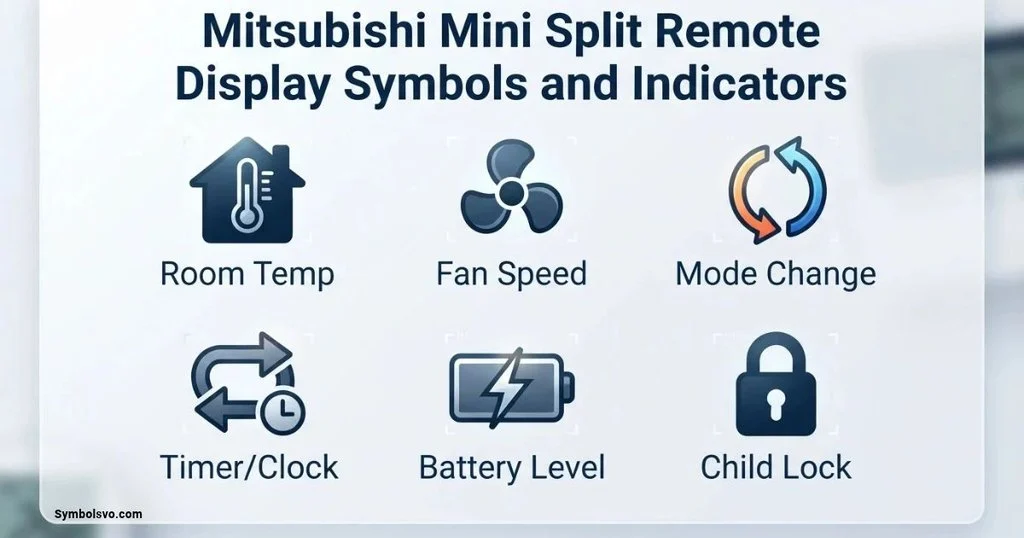
Apart from operating modes and fan settings, your remote may show additional icons.
These indicators help you understand scheduled operation, temperature selection, and other available functions.
Temperature Display
The temperature display shows the selected operating temperature.
Depending on the remote, it may use Celsius or Fahrenheit.
For example, 24°C and 75°F represent approximately the same temperature.
Remember that the remote’s target temperature isn’t always an exact reading of the room’s current temperature.
Clock Symbol
The clock indicates the remote’s time-setting function or current clock display.
A correctly set clock is important when using scheduled timer functions.
If the time is incorrect, your air conditioner may start or stop at an unexpected time.
ON Timer Symbol
The ON timer schedules the air conditioner to start automatically.
For example, you might schedule an operation before arriving home so the room feels comfortable when you enter.
The symbol indicates that an ON timer has been programmed, where supported.
OFF Timer Symbol
The OFF timer schedules the unit to stop operating.
You can use it when you want the air conditioner to switch off after a certain period.
For example, setting an OFF timer before bedtime can prevent unnecessary overnight operation.
Battery Indicator
Some remotes display a battery indicator when battery power becomes low.
If the display becomes faint or buttons stop responding consistently, replacing the batteries may solve the problem.
Use batteries of the correct type and install them according to the polarity markings.
Signal Transmission Indicator
A transmission indicator may appear when the remote sends a command to the indoor unit.
Point the remote toward the indoor unit when changing settings.
If the unit doesn’t respond, check the batteries, distance, and possible obstructions.
i-save Symbol
i-save is an additional feature available on certain Mitsubishi Electric models.
It allows users to save and recall preferred operating settings.
For example, you might save a comfortable temperature and operating configuration for a particular room.
The exact available settings and operation depend on the indoor unit.
Don’t confuse i-save with Econo Cool. The first stores preferred operating settings, while the second focuses on energy-conscious cooling.
POWERFUL Symbol
The POWERFUL indicator appears when the corresponding function is active on supported models.
It identifies a stronger operating setting designed to provide a quicker heating or cooling response.
The function may stop automatically after a specified operating period, depending on the model.
Weekly Timer Indicator
Some Mitsubishi Electric remotes support weekly scheduling.
This allows you to program different operating times for different days.
For example, you might schedule cooling earlier on weekdays and use a different schedule on weekends.
Check your remote’s manual for the available number of programs and scheduling controls.
Filter and Cleaning Indicators
Filter-related indicators require special attention.
Some Mitsubishi systems display maintenance information on the indoor unit rather than the handheld remote.
A filter warning or cleaning notification isn’t necessarily a remote-control symbol.
When you see a maintenance indicator, consult the indoor unit’s manual to identify the required action.
How to Use a Mitsubishi Mini Split Remote Control
Once you understand the symbols, using your Mitsubishi remote becomes much easier.
The following instructions explain common operations on compatible Mitsubishi Electric remotes.
How to Turn On Your Mitsubishi Mini Split
- Check that the indoor unit has electrical power.
- Point the remote toward the indoor unit.
- Press the ON/OFF button.
- Look for the operation indicator.
- Confirm that the indoor unit starts.
If the unit doesn’t respond, check the batteries and ensure that nothing blocks the remote’s signal.
How to Change the Air Conditioner Mode
- Turn on the indoor unit.
- Press the MODE button.
- Watch the remote’s display.
- Select AUTO, COOL, DRY, HEAT, or FAN where available.
- Wait for the indoor unit to respond.
The available modes depend on the model.
How to Set the Desired Temperature
- Select an appropriate operating mode.
- Locate the temperature adjustment buttons.
- Press the upward arrow to increase the target.
- Press the downward arrow to decrease it.
- Check the LCD display.
Some modes, especially DRY and FAN, may limit temperature adjustments.
How to Adjust Fan Speed
- Select COOL or HEAT when appropriate.
- Press FAN.
- Review the available fan-speed options.
- Choose AUTO, QUIET, LOW, MED, HIGH, or SUPER HIGH when supported.
- Confirm the selected setting on the display.
How to Change Airflow Direction
- Locate the VANE button.
- Press it to select a vertical airflow position.
- Choose a fixed direction or SWING where available.
- Use WIDE VANE for horizontal airflow adjustment if your remote includes it.
- Allow the motorized louvers to move naturally.
How to Activate Econo Cool
- Start the air conditioner.
- Select COOL mode.
- Press ECONO COOL.
- Check the display for the corresponding indicator.
- Allow the system to adjust airflow and temperature-related settings.
On compatible models, pressing ECONO COOL again cancels the feature.
How to Set an ON Timer
The exact process varies between remotes, but a typical procedure is:
- Set the current clock time.
- Locate the TIMER ON control.
- Select the desired start time.
- Confirm the setting using the remote’s designated confirmation button.
- Check the display for the ON timer indicator.
How to Set an OFF Timer
- Start the air conditioner.
- Press TIMER OFF.
- Choose the desired stopping time.
- Confirm the selection.
- Check that the OFF timer indicator appears.
How to Cancel Timer Settings
Find the timer cancellation control on your remote.
Depending on the model, this may be labeled CANCEL or use a separate timer button.
Follow the manual’s instructions to cancel the active schedule. Some remotes let you cancel ON and OFF timers separately.
How to Reset the Remote Control
If the remote behaves incorrectly, check whether it includes a RESET or ACL switch.
A typical reset procedure involves:
- Removing the battery cover.
- Taking out the batteries if required.
- Pressing the recessed RESET or ACL switch using a suitable small object.
- Reinstalling the batteries correctly.
- Setting the clock again if necessary.
A reset may clear saved settings or timer information. Check the model’s instructions before using this procedure.
Best Mitsubishi Mini Split Remote Settings for Different Situations
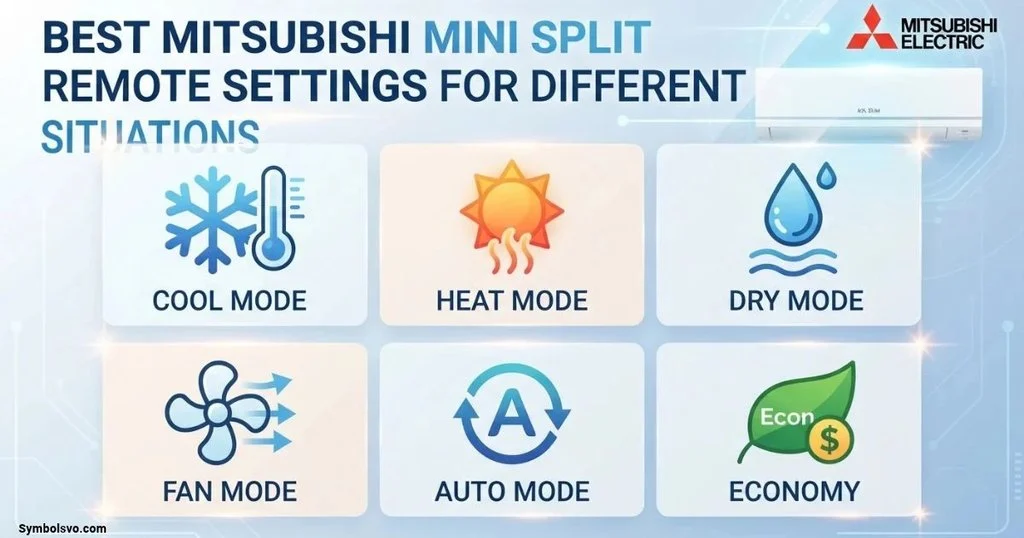
The best setting depends on the weather, room conditions, and your comfort preferences.
There isn’t one perfect combination for every home. However, the following guide gives you a practical starting point.
| Situation | Operating mode | Fan speed | Airflow preference |
| Hot summer afternoon | COOL | AUTO or MED | AUTO or SWING |
| Humid weather | DRY | Automatic | Model-controlled |
| Cold winter morning | HEAT | AUTO or MED | Direct airflow into the room |
| Sleeping at night | COOL or HEAT | QUIET or LOW | Avoid direct airflow toward the bed |
| Ordinary energy-conscious cooling | COOL with ECONO COOL | AUTO | Automatic airflow |
| Room needs better air circulation | FAN | MED | SWING where available |
Best Settings for Cooling During Hot Weather
Select COOL mode and choose a comfortable temperature.
AUTO fan speed is a useful starting point because the system can adjust airflow according to cooling demand.
If the room is especially hot, you can temporarily use a higher fan speed or POWERFUL operation where supported.
Once the room reaches a comfortable temperature, return to a quieter setting if desired.
Best Settings for Humid Weather
Select DRY when humidity is the main problem.
This mode helps remove moisture from indoor air rather than focusing on strong cooling.
If the room is both hot and humid, compare DRY and COOL operation to determine which provides better comfort.
Best Settings for Heating During Winter
Choose HEAT mode and select a comfortable target temperature.
AUTO fan speed can help manage airflow during heating.
Avoid expecting immediate warm air after startup. The indoor unit may need time to warm its heat exchanger.
Best Settings for Quiet Operation at Night
Select QUIET or LOW fan speed when your remote supports these settings.
You can also use a suitable timer or sleep-related function if your model includes one.
Position the airflow so it doesn’t blow directly toward your bed.
Best Settings for Energy Efficiency
Consider the following practices:
- Use ECONO COOL when suitable.
- Avoid unnecessarily low cooling temperatures.
- Keep windows and exterior doors closed while cooling.
- Clean the air filters according to the maintenance schedule.
- Use timers to avoid unnecessary operation.
- Keep indoor and outdoor airflow paths clear.
Good maintenance and sensible temperature settings often matter more than repeatedly changing remote controls.
Best Settings for Better Air Circulation
Use FAN mode when you only want to circulate indoor air.
During cooling or heating, use VANE and WIDE VANE to distribute conditioned air more effectively.
Swing operation may help cover a wider area than a fixed airflow direction.
Common Mitsubishi Mini Split Remote Problems and Solutions
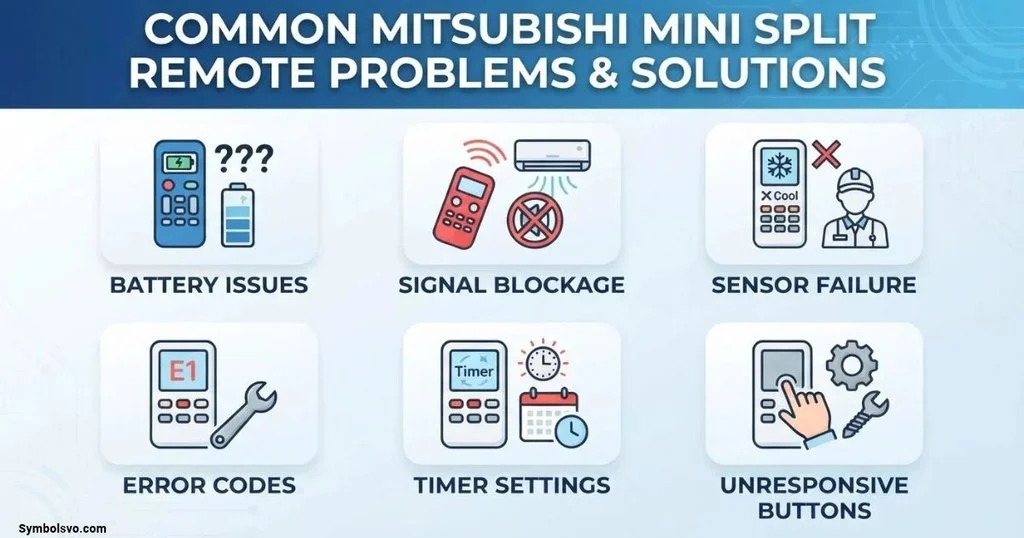
Even a well-maintained air conditioner can sometimes fail to respond to remote commands.
Before assuming that the unit has a serious fault, check these common issues.
Remote Control Isn’t Responding
If your remote doesn’t control the indoor unit, start with the simplest checks.
- Replace weak batteries.
- Check the battery polarity.
- Point the remote toward the indoor unit.
- Remove objects blocking the signal.
- Check whether the indoor unit has electrical power.
Some remotes use infrared communication, so the remote needs a clear path to the indoor unit’s receiver.
Mitsubishi Mini Split Isn’t Changing Modes
If the MODE button doesn’t select the function you want, check whether your system supports that mode.
A cooling-only model won’t provide HEAT operation.
Some operating conditions may also restrict available settings.
Review the model-specific manual before assuming the remote is defective.
Remote Display Is Blank
A blank display often points to a battery problem.
Try the following:
- Remove the battery cover.
- Take out the old batteries.
- Inspect the contacts for dirt or corrosion.
- Insert fresh batteries of the correct type.
- Confirm that the display turns on.
If the screen remains blank, the remote may need professional inspection or replacement.
Air Conditioner Isn’t Cooling in DRY or FAN Mode
This is often a misunderstanding of the selected operating mode.
DRY focuses on moisture removal. FAN circulates air without normal active cooling.
If you want the system to cool the room, select COOL mode.
Fan Speed Isn’t Changing
Some Mitsubishi models automatically control fan speed during particular operating modes.
For example, DRY mode may restrict manual fan adjustment.
Try changing to COOL mode and pressing FAN again. If the setting still doesn’t change, check the remote’s operating instructions.
VANE or WIDE VANE Isn’t Responding
First, confirm that your indoor unit supports the selected airflow control.
Some models don’t have separate horizontal airflow adjustment.
Also, don’t try to move motorized louvers manually. Doing so can interfere with the vane motor or its mechanical parts.
Timer Isn’t Working
Incorrect clock settings can cause timer problems.
Check the following:
- Is the current time correct?
- Did you select the correct ON or OFF timer?
- Did you confirm the scheduled time?
- Has the timer been canceled?
- Does your remote support weekly scheduling?
Correct the clock and program the timer again if necessary.
Frequently Asked Questions About Mitsubishi Mini Split Remote Symbols
What Do the Symbols on a Mitsubishi Mini Split Remote Mean?
Mitsubishi mini split remote symbols identify operating modes, fan speeds, airflow directions, temperature settings, and timer functions. Common symbols include a snowflake for COOL, a water droplet for DRY, a sun for HEAT, and a fan for FAN mode.
What Are the Different Mitsubishi AC Remote Symbols?
Common Mitsubishi AC remote symbols include AUTO, COOL, DRY, HEAT, FAN, VANE, WIDE VANE, ECONO COOL, POWERFUL, ON TIMER, and OFF TIMER. The exact symbols depend on the remote and indoor unit model.
What Does AUTO Mean on a Mitsubishi Mini Split Remote?
AUTO means automatic operating mode. On compatible systems, the air conditioner selects heating or cooling based on room temperature and the selected target. AUTO fan speed is a separate function that controls airflow automatically.
What Does the Snowflake Symbol Mean on a Mitsubishi Remote?
The snowflake represents COOL mode. It activates the air conditioner’s cooling operation to lower indoor temperature.
What Does the Water Droplet Symbol Mean on a Mitsubishi AC?
The water droplet represents DRY mode. It activates dehumidification, helping remove excess moisture from indoor air.
What Does the Sun Symbol Mean on a Mitsubishi Mini Split?
The sun represents HEAT mode. It tells a compatible heat pump to warm the room by transferring heat from outdoor air into the indoor space.
What Does the Fan Symbol Mean on a Mitsubishi Remote?
The fan symbol can represent FAN mode or a fan-speed indicator, depending on where it appears. FAN mode circulates indoor air without normal active heating or cooling.
What Are the Five Operating Modes on a Mitsubishi AC Remote?
On compatible Mitsubishi mini splits, the five common operating modes are AUTO, COOL, DRY, HEAT, and FAN. Some models don’t support all five functions.
What Is the Difference Between COOL and DRY Mode?
COOL mode primarily lowers room temperature. DRY mode focuses on removing excess indoor humidity. DRY may also reduce the room temperature, but it doesn’t operate like ordinary cooling.
What Does QUIET Mean on a Mitsubishi Mini Split?
QUIET is a reduced-noise fan setting available on certain models. It lowers fan operation noise but may also reduce airflow compared with stronger fan settings.
What Is SUPER HIGH Fan Speed on a Mitsubishi AC?
SUPER HIGH is a stronger fan-speed setting available on selected Mitsubishi Electric models. It increases airflow beyond the normal HIGH setting.
What Do the Bars on a Mitsubishi Fan Symbol Mean?
Fan-speed bars generally indicate the selected airflow level. More bars usually represent stronger airflow, while fewer bars indicate a lower setting. The exact display varies by remote.
What Does the VANE Button Do on a Mitsubishi Remote?
The VANE button adjusts vertical airflow direction. It controls the up-and-down angle of the indoor unit’s horizontal flap and may offer fixed positions or automatic swing.
What Does WIDE VANE Mean on a Mitsubishi Air Conditioner?
WIDE VANE controls horizontal airflow direction on supported Mitsubishi Electric models. It adjusts how air moves toward the left or right side of the room.
What Do Numbers 1 to 5 Mean on the VANE Setting?
Numbers 1 through 5 represent different vertical vane positions on compatible remotes. They change the direction of airflow rather than fan speed.
What Does SWING Mean on a Mitsubishi Mini Split Remote?
SWING activates automatic movement of the airflow vane. It allows the unit to direct air across different vertical or horizontal positions, depending on the available swing function.
What Does Econo Cool Mean on a Mitsubishi Mini Split?
ECONO COOL is an energy-saving cooling feature on compatible Mitsubishi Electric models. It adjusts airflow and may raise the cooling set temperature automatically while maintaining a comfortable breeze effect.
Does Econo Cool Automatically Adjust Room Temperature?
On supported models, Econo Cool automatically adjusts temperature-related settings and airflow. Some models raise the cooling set temperature by approximately 2°C, but the exact behavior depends on the product.
How Do I Change Modes on a Mitsubishi Mini Split Remote?
Press the MODE button repeatedly until the desired symbol appears. Select AUTO, COOL, DRY, HEAT, or FAN according to your model’s available functions.
How Do I Reset a Mitsubishi Mini Split Remote?
If your remote includes a RESET or ACL switch, follow its manual’s reset instructions. You may need to remove and reinstall the batteries, press the recessed switch, and set the clock again.
Conclusion
Understanding Mitsubishi Mini Split Remote Symbols makes it much easier to control your indoor comfort. Each symbol has a specific purpose, whether you’re selecting COOL mode, reducing humidity with DRY, warming the room with HEAT, or adjusting airflow through VANE and WIDE VANE.
The most important settings to understand are AUTO, COOL, DRY, HEAT, FAN, fan speed, and airflow direction. Once you know what these controls do, you can choose suitable operating settings without repeatedly guessing which button to press.
Remember that Mitsubishi remote controls vary between product generations and models. If your remote displays an unfamiliar icon or offers a different function, check the operating manual for your exact indoor unit.
A little familiarity with the controls goes a long way toward making your mini split easier to use, more comfortable, and more efficient.

I’m Daniel Brooks, a content creator and symbol enthusiast dedicated to researching the fascinating world of signs and symbols. I enjoy discovering the hidden meanings behind famous icons, emojis, historical emblems, and cultural symbols. Through my writing, I aim to provide trustworthy, well-researched, and reader-friendly information that helps people learn something new with every visit.
Books:
- The Complete Guide to World Symbols
- The Power of Universal Signs
 Mason Ellington
 Nathan Holloway