Social media symbols are part of everyday digital communication. You see them on websites, mobile apps, business cards, advertisements, and online profiles. A familiar Instagram camera, YouTube play button, or LinkedIn lettermark can help you recognize a platform almost instantly.
These symbols do more than decorate a page. They help people find social accounts, share content, connect with businesses, and understand which platforms support a particular service. Whether you’re designing a website, creating marketing materials, or simply learning what different icons mean, knowing the most common social media symbols makes digital communication easier.
This guide explains popular social media symbols, their names and uses, common icon styles, image formats, download resources, and practical tips for using them correctly.
What Are Social Media Symbols?
Social media symbols are visual marks, icons, or logos that represent social networking platforms and related digital services. They help users identify a platform without needing to read its full name.
For example, a recognizable camera-style mark represents Instagram, while a play-button symbol is strongly associated with YouTube. A stylized letter “f” is commonly used to identify Facebook.
You’ll find these symbols in several places:
- Website headers and footers
- Social media profile links
- Blog sharing buttons
- Email signatures
- Business cards and brochures
- Digital advertisements
- Mobile applications
- Presentations and marketing graphics
People often use the terms social media symbols, social media icons, and social media logos interchangeably. However, they can describe slightly different things.
| Term | Meaning | Common example |
| Social media symbols | Broad term for visual marks associated with social platforms | A recognizable social platform mark |
| Social media icons | Small graphics used in interfaces and designs | A Facebook icon in a website footer |
| Social media logos | Official visual identities used by platforms | An official Instagram or TikTok logo |
| Social media buttons | Clickable controls that open or share social content | A Share on Facebook button |
The important distinction is that an official logo represents a platform’s brand identity, while an icon may be a simplified version designed for a small space.
Social Media Symbols and Their Meanings
Every major social platform has a recognizable visual identity. Some use letters, others use shapes, and several combine symbols with distinctive typography.
The meaning of an icon usually comes from its connection to a platform rather than from a universal symbolic message. For instance, a camera mark identifies Instagram because of the platform’s brand identity. It doesn’t necessarily communicate a deeper meaning on its own.
Here are some widely recognized social media symbols and what they identify.
Facebook Symbol
The Facebook symbol is commonly recognized by its lowercase white or blue letter “f.” It represents Facebook and is one of the most familiar social media marks.
Facebook is used for connecting with friends, joining communities, sharing updates, following businesses, and discovering events.
Common uses:
- Linking to a Facebook profile or business page
- Sharing website articles
- Promoting products and services
- Directing visitors to Facebook communities
Instagram Symbol
The Instagram symbol features a simplified camera design. Its familiar brand treatment often uses a colorful gradient, although monochrome versions are also common in interface designs.
Instagram focuses on photos, short videos, Stories, Reels, and creator content.
Common uses:
- Connecting a website to an Instagram profile
- Promoting visual products
- Sharing Reels and photo content
- Helping customers discover a brand’s Instagram account
X (Formerly Twitter) Symbol
X uses a stylized letter “X” as its primary brand mark. The platform was formerly known as Twitter, whose familiar blue bird logo became widely recognized.
X is used for public conversations, short posts, breaking updates, commentary, and discussions.
Common uses:
- Linking to an X profile
- Sharing posts and announcements
- Promoting public discussions
- Directing readers to company updates
If you find an older blue bird icon on a website, it may be an outdated Twitter graphic.
TikTok Symbol
The TikTok symbol is a stylized musical note with a distinctive layered color effect often shown in cyan, pink, and black.
TikTok is known for short-form videos, music, trends, entertainment, educational clips, and creator content.
Common uses:
- Linking to a TikTok creator profile
- Promoting short-form videos
- Connecting a business account
- Encouraging visitors to follow a brand
LinkedIn Symbol
LinkedIn’s recognizable symbol combines the letters “in,” usually displayed in a blue square or in a simplified standalone form.
LinkedIn is primarily used for professional networking, job searches, recruitment, industry discussions, and business communication.
Common uses:
- Linking to professional profiles
- Promoting company pages
- Sharing career-related content
- Helping visitors connect with an organization
Pinterest Symbol
Pinterest uses a stylized white letter “P,” often placed inside a red circular background.
Pinterest allows users to discover, save, and organize visual ideas. People commonly use it for recipes, home decoration, fashion, crafts, travel, and design inspiration.
Common uses:
- Linking to Pinterest boards
- Sharing product images
- Promoting visual blog content
Reddit Symbol
Reddit’s brand identity features Snoo, a friendly alien mascot with a distinctive antenna. Its simplified logo is commonly displayed in orange and white.
Reddit is organized around communities called subreddits. Users share posts, ask questions, discuss interests, and vote on content.
Common uses:
- Linking to a Reddit community
- Promoting discussion threads
- Connecting a brand’s Reddit profile
- Sharing community resources
Snapchat Symbol
Snapchat uses a white ghost mark, often displayed against a bright yellow background.
Snapchat is known for disappearing messages, Snaps, Stories, filters, and visual communication.
Common uses:
- Linking to a Snapchat profile
- Promoting Stories
- Sharing a Snapcode
- Connecting with younger audiences and creators
WhatsApp Symbol
WhatsApp’s familiar symbol combines a telephone handset with a speech-bubble shape. It is commonly shown in green and white.
WhatsApp supports messaging, voice calls, video calls, group conversations, and business communication.
Common uses:
- Adding a direct chat link to a website
- Providing customer support
- Sharing contact details
- Helping customers ask questions about products
YouTube Symbol
YouTube’s logo is widely recognized by its play-button mark, often displayed as a white triangle inside a red rounded rectangle.
YouTube allows users to upload, watch, share, and discuss videos. It also supports live streaming and creator channels.
Common uses:
- Linking to a YouTube channel
- Embedding videos
- Promoting tutorials and reviews
- Directing visitors to video content
Telegram Symbol
Telegram uses a paper-plane symbol, usually shown in a blue circular background. The design identifies the messaging platform.
Telegram supports individual chats, group conversations, channels, file sharing, and other communication features.
Common uses:
- Linking to a Telegram channel
- Promoting community groups
- Sharing announcements
- Providing another way to contact an organization
Discord Symbol
Discord’s symbol is its recognizable Clyde mascot, often displayed in a purple or blue visual treatment.
Discord is used for text chats, voice conversations, video communication, and interest-based communities.
Common uses:
- Linking to a Discord server
- Inviting visitors to a community
- Supporting gaming communities
- Connecting customers and members
Threads Symbol
Threads uses a distinctive, thread-like symbol often associated with an @-style form. Its appearance is designed to identify the platform rather than communicate a universal meaning.
Threads is designed for text-focused public conversations and sharing updates.
Common uses:
- Linking to a Threads profile
- Promoting public discussions
- Sharing short updates
- Connecting an Instagram audience with text-based content
Tumblr Symbol
Tumblr’s logo uses a stylized lowercase “t.” It is a recognizable mark associated with the blogging and social networking service.
Tumblr supports posts containing text, images, videos, links, and other media.
Vimeo Symbol
Vimeo uses a stylized letter “V” as its brand mark. The platform is associated with video hosting, sharing, and professional video workflows.
Vimeo is commonly used by creators, filmmakers, and businesses that need video presentation and hosting tools.
Twitch Symbol
Twitch has a distinctive purple chat-style logo. It represents a platform best known for live streaming, gaming broadcasts, and creator communities.
Twitch is also used for music, creative streams, talk shows, and other live content.
Signal Symbol
Signal’s symbol is a speech-bubble design commonly shown in blue and white.
Signal is known for encrypted communication and supports messages, voice calls, and video calls.
WeChat Symbol
WeChat uses two overlapping speech bubbles, generally displayed in green and white.
WeChat is widely used for messaging, social features, and various digital services.
Behance Symbol
Behance uses a recognizable letter-based logo and is associated with creative portfolios.
Behance helps designers, illustrators, photographers, and other creative professionals showcase their work.
GitHub Symbol
GitHub’s visual identity includes the Octocat mascot, a combination of a cat and a branching design.
GitHub is used by developers to host code, manage projects, collaborate, and contribute to open-source software.
Although GitHub is not a traditional social networking platform, it has social and community features. Its icon may appear alongside other social links on developer websites.
Social Media Symbols and Their Visual Characteristics
A social media logo needs to remain recognizable across different screen sizes and backgrounds. Platforms therefore use distinctive shapes, colors, and typography to create consistent brand identities.
Shape
Shapes help users recognize icons quickly. Common examples include:
- Circles
- Rounded squares
- Letters
- Speech bubbles
- Camera outlines
- Play buttons
- Mascot illustrations
- Abstract geometric marks
A simple shape can remain recognizable even when the full platform name isn’t displayed.
Color
Color is another important part of social media branding. Many platforms use distinctive color combinations that help separate their identities.
| Platform | Common brand colors or treatment |
| Blue and white | |
| Multicolor gradient | |
| X | Black and white |
| TikTok | Black, cyan, and pink |
| Blue and white | |
| Red and white | |
| Snapchat | Yellow and white |
| YouTube | Red and white |
| Green and white | |
| Discord | Purple and blue |
These are familiar brand treatments, not a guarantee that every official logo version uses the same colors. Always check the platform’s current brand resources before using its marks.
Typography
Some social media logos use letters or custom lettering as their main visual feature. LinkedIn’s “in,” Facebook’s “f,” and Tumblr’s “t” are familiar examples.
Typography-based logos work well in compact spaces because they can be easier to recognize than a detailed illustration.
Official Logos vs. Third-Party Icons
An official logo comes from the platform’s brand identity. A third-party icon is a graphic created by an icon designer or library to represent that platform.
For example, an icon library may offer a simplified outline version of the Instagram logo. It can be useful for website navigation, but it isn’t automatically an official brand asset.
Use official assets when brand accuracy matters. Use third-party icons when you need a consistent interface style and the library’s license permits your intended use.
Different Types of Social Media Icons
Social media icon designs come in several styles. The best choice depends on the project, audience, and overall visual appearance.
Flat Social Media Icons
Flat icons use simple shapes and solid colors. They avoid heavy shadows, complex textures, and realistic effects.
They’re suitable for:
- Business websites
- Mobile applications
- Blog layouts
- Clean marketing graphics
Outline Social Media Icons
Outline icons use strokes instead of fully filled shapes. They often look light and minimal.
They’re useful for websites with simple navigation and uncluttered layouts. However, very thin lines can become difficult to see at small sizes.
Filled or Glyph Icons
Filled icons use solid shapes to make the symbol stand out. They’re often easier to recognize in compact navigation areas.
These designs work well in footers, menus, and mobile interfaces.
3D Social Media Icons
3D icons use depth, shading, lighting, and shadows to create a more realistic appearance.
They’re often used in:
- Promotional graphics
- Presentations
- Social media posts
- Creative website illustrations
Minimalist Social Media Icons
Minimalist icons remove unnecessary details and focus on the most recognizable parts of a symbol.
They can work particularly well in professional designs where too many colors or decorative effects would distract visitors.
Hand-Drawn and Illustrated Icons
Hand-drawn icons use irregular lines, sketch effects, or illustrated shapes. They’re useful for creative brands, personal blogs, and playful designs.
Gradient and Neon Icons
Gradient icons blend multiple colors, while neon styles use bright tones and glowing effects. These styles can create a modern appearance, especially in entertainment and technology graphics.
However, decorative effects should never make a platform difficult to identify.
Social Media Icon File Formats
Choosing the right file format matters because it affects image quality, loading performance, editing, and compatibility.
The most common formats include PNG, SVG, JPG, EPS, AI, FIG, Sketch, and PSD.
PNG Social Media Icons
PNG is a raster image format that supports transparent backgrounds. It’s useful when you need an icon that can be placed over different colors or design elements.
Advantages:
- Supports transparency
- Works with most browsers and design tools
- Easy to add to documents and websites
- Useful for fixed-size graphics
Limitations:
- Can lose sharpness when enlarged
- Different sizes may require separate exports
- Large files can affect page performance
SVG Social Media Icons
SVG stands for Scalable Vector Graphics. It stores shapes and paths rather than a fixed grid of pixels.
This makes SVG particularly useful for website icons because it can scale without becoming blurry.
Advantages:
- Scales cleanly at different sizes
- Often compact for simple graphics
- Can be edited in vector design software
- Supports transparent backgrounds
- Works well for responsive websites
Limitations:
- Some software handles SVG differently
- Complex SVG files may contain unnecessary data
- Untrusted SVG files can pose security risks if handled carelessly
PNG vs. SVG: What’s the Difference?
| Feature | PNG | SVG |
| Image type | Raster | Vector |
| Enlarging | Can become blurry | Stays sharp |
| Transparency | Yes | Yes |
| Best use | Fixed-size graphics | Scalable web graphics |
| Editing | Pixel-based editing | Vector editing |
| Website use | Widely supported | Widely supported |
| File size | Depends on dimensions and detail | Often small for simple icons |
Which format should you choose?
Choose SVG when you need crisp icons across different screen sizes. Choose PNG when you need a ready-to-use transparent image or when your software doesn’t support SVG.
Other Social Media Icon Formats
- JPG: Best suited to photographs and complex images. It doesn’t support transparent backgrounds.
- EPS: A vector format commonly used in professional print workflows.
- AI: Adobe Illustrator’s native editable file format.
- FIG: A Figma design file used to organize editable interface elements and graphics.
- Sketch: A design document format used by the Sketch application.
- PSD: A layered Photoshop document that supports detailed raster editing.
Not every download site provides all these formats. Check the file details before downloading.
Where to Find Free Social Media Icons
You can find social media icons through official brand resources, icon libraries, and graphic design websites. The right source depends on whether you need official logos, editable vector files, or ready-made graphics.
Official Brand Resources
Official brand resources are the safest starting point when you need accurate platform logos.
Look for the current guidelines and downloadable assets from:
- Meta brand resources
- TikTok official website
- LinkedIn brand resources
- YouTube brand resources
- Pinterest brand guidelines
A platform’s general website isn’t always its logo download page. Check the brand or press resources for official files and usage instructions.
Font Awesome
Font Awesome provides a widely used collection of icons, including many social brand icons.
It’s useful for developers who want to add social icons to websites through an icon library.
Before using an icon, check whether it belongs to the free or paid collection and review the applicable license.
Simple Icons
Simple Icons focuses on brand icons. It provides scalable vector graphics for many well-known companies and digital platforms.
It’s particularly useful when you need clean SVG files for web projects.
Google Material Symbols
Google Fonts Icons offers a large collection of interface symbols. It includes general-purpose icons for sharing, messaging, links, and navigation.
It isn’t a replacement for every official social media logo, but it can help with common interface actions.
Icons8
Icons8 offers icons in different visual styles and formats. You can explore designs for websites, presentations, and marketing graphics.
Review the licensing terms because free and paid usage conditions may differ.
SVG Repo
SVG Repo provides a large collection of SVG graphics, including brand-related symbols.
Check the license of each individual file. Don’t assume that every icon on a download platform has identical permissions.
Freepik, Flaticon, and Vecteezy
These design websites offer social media icon packs, illustrations, and editable graphics:
- Freepik
- Flaticon
- Vecteezy
They can be useful for decorative designs and custom icon sets. However, a downloadable graphic isn’t automatically approved for every commercial or branding purpose.
What to Check Before Downloading
Before using a free social media icon, check:
- Whether commercial use is allowed
- Whether attribution is required
- Whether modifications are permitted
- Whether the file is an official brand asset
- Whether the icon has a transparent background
- Whether the format works with your software
- Whether the download is genuinely free
A clear license is just as important as a good-looking icon.
How to Choose the Right Social Media Symbols for a Website
Your website doesn’t need every social media icon available. It needs the platforms that matter to your visitors and business.
Start by identifying where your audience is active. A video creator may prioritize YouTube and TikTok, while a professional consultancy may focus on LinkedIn.
Match Icons to Your Audience
Think about your visitors before adding icons.
For example:
| Website type | Relevant platforms to consider |
| Fashion store | Instagram, Pinterest, TikTok |
| Business consultancy | LinkedIn, YouTube, X |
| Gaming website | YouTube, Twitch, Discord |
| Food blog | Pinterest, Instagram, Facebook |
| Developer portfolio | GitHub, LinkedIn, YouTube |
| Local business | Facebook, Instagram, WhatsApp |
These are starting points, not fixed rules. Choose platforms where your organization actually maintains an active presence.
Keep the Design Consistent
A website looks more professional when its icons follow a consistent visual style.
Try to keep these elements consistent:
- Icon dimensions
- Spacing
- Shape style
- Alignment
- Background treatment
- Hover effects
Avoid combining highly detailed 3D graphics with thin outline icons unless the difference is intentional.
Consider Mobile Users
Many visitors browse websites on phones. Icons that look clear on a desktop may become difficult to tap on a small screen.
Use a comfortable clickable area and make sure the symbols remain visible against their background.
Don’t Add Too Many Icons
A long row of social icons can distract visitors and make navigation feel crowded.
Display your most important platforms first. If you have many accounts, consider a dedicated social media page rather than placing every icon in the header.
Where to Place Social Media Icons on a Website
The location of your social media icons affects how easily visitors can find them. Place them where users naturally expect to discover social links or sharing options.
Website Header
The header is a common place for social profile links. It works well when social media is an important part of your brand’s communication.
Keep the icons small enough to avoid competing with the main navigation.
Website Footer
The footer is one of the most common locations for social media symbols. Visitors often look there for contact details, company information, and external links.
A small, consistent row of icons usually works well.
Contact Page
Your contact page can include social media icons alongside email addresses, phone numbers, and other contact methods.
This gives visitors another way to reach your organization.
Blog Posts
You can add sharing buttons near the article title, below the introduction, or at the end of a post.
These buttons should make it clear that they share the article rather than simply open your social profile.
Landing Pages
Social icons can appear on landing pages when they support the page’s purpose. For example, a creator’s landing page may use them to direct visitors to video channels and social profiles.
Email Signatures
A small set of social media symbols can make an email signature more useful. Link each icon to the correct business or professional account.
How to Add Social Media Icons to a Website
There are several ways to add social media icons to a website. The method depends on your content management system, website builder, and technical experience.
Add Social Media Icons Using HTML
If you’re comfortable editing HTML, you can create clickable links around icon images.
Here’s a basic example using an image file:
<a href=”https://www.instagram.com/yourusername/”
aria-label=”Visit our Instagram profile”>
<img src=”/images/instagram-icon.svg”
alt=””
width=”32″
height=”32″>
</a>
Replace the example profile URL with your actual account. Make sure the SVG file is available at the specified path.
The aria-label gives screen-reader users a clear description of the link. The empty image alternative avoids repeating that description.
Add Social Media Icons Using CSS
CSS can control the size, spacing, alignment, and appearance of social links.
.social-links {
display: flex;
align-items: center;
gap: 14px;
}
.social-links img {
width: 32px;
height: 32px;
display: block;
}
This example creates a horizontal row with consistent spacing. You can adjust the values to fit your website’s layout.
Add Social Icons in WordPress
WordPress users can often add social links without writing code.
A common approach is:
- Open the WordPress dashboard.
- Go to Appearance and open the relevant editor or menu settings.
- Find the Social Icons block or a supported social-links feature.
- Add the platforms you use.
- Enter the correct profile URLs.
- Save and preview the page on desktop and mobile.
The exact steps can differ depending on your theme and WordPress version.
You can also use a plugin if your theme doesn’t provide the layout or features you need. Check the plugin’s maintenance history, performance, and permissions before installing it.
Add Social Media Icons to Shopify
Shopify themes often include social media link settings.
Look in your theme editor for social account fields. Add your profile URLs and save the changes.
Your theme may automatically display the corresponding symbols in the header or footer.
Use a Website Builder
Many website builders include social icons as built-in elements. You can usually add them through a page editor and connect each icon to a profile URL.
After publishing, test every link. A visually correct icon is useless if it directs visitors to the wrong account.
Using Social Media Symbols in Graphic Design
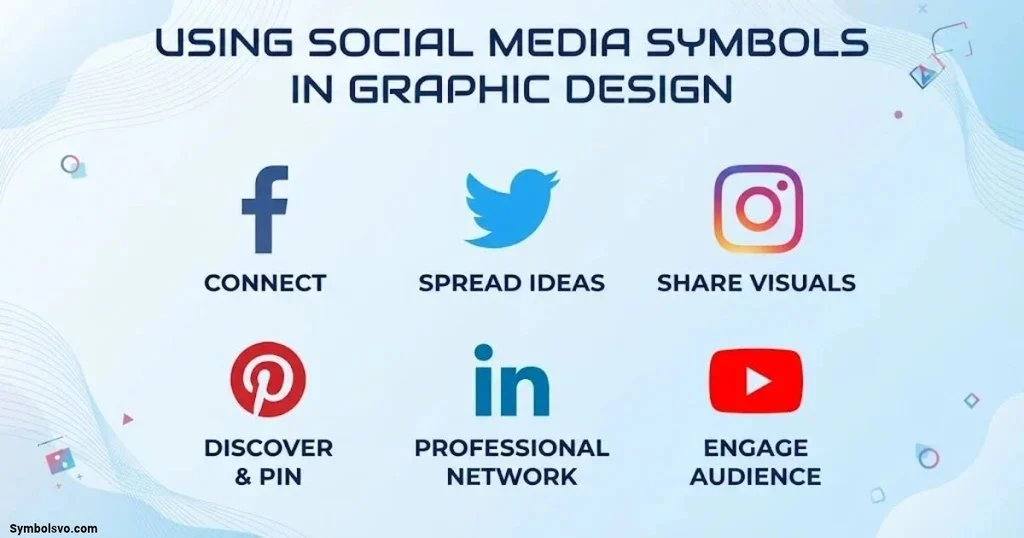
Social media symbols are useful in more than website layouts. They also help designers create consistent promotional materials.
Canva
Canva offers templates and design elements that can help you create social media graphics.
You can use it to:
- Add social icons to business cards
- Create promotional posts
- Design banners and flyers
- Build presentation slides
- Arrange icons with text and other graphics
Check the usage terms for any third-party graphic you add.
Adobe Photoshop
Adobe Photoshop is useful for image-based design work.
You can place PNG icons into a project, resize them, adjust their appearance, and combine them with photographs or other design elements.
Adobe Illustrator
Adobe Illustrator is designed for vector artwork.
It’s useful for working with SVG and other vector assets. You can scale vector graphics and arrange them for print or digital projects.
Figma
Figma helps designers create interface layouts, prototypes, and collaborative design files.
It’s useful for planning how social media symbols will appear in website headers, footers, buttons, and mobile screens.
Adobe Express
Adobe Express offers accessible design tools for creating social graphics and marketing materials.
It can be useful when you need a quick promotional design without building everything from scratch.
Social Media Symbols for Business and Marketing
Social media icons can support business communication by helping customers find official accounts and connect through familiar platforms.
They don’t guarantee more followers or sales. Their value comes from making the next step easier for visitors.
Increase Profile Visibility
A visitor may already know your business but not know where to find it online. A clear Instagram, Facebook, or LinkedIn icon gives them a direct route to your profile.
Support Customer Communication
A WhatsApp link may help customers ask questions. A Facebook page may provide updates, while LinkedIn can support professional connections.
Choose communication channels your team can manage consistently.
Improve Brand Recognition
Consistent use of platform marks helps visitors recognize familiar services. It also makes your website easier to navigate when the icons are placed in expected locations.
Add Icons to Business Cards
Business cards have limited space. Instead of printing several long social media URLs, you can use a small number of recognizable icons with short profile names or QR codes.
Use Icons in Email Signatures
An email signature can include links to a company’s main social profiles. Keep the design compact so the icons don’t overwhelm the sender’s contact information.
Include Icons in Advertisements
Social media symbols can help people understand where to find a brand after seeing an advertisement.
For example, a promotional flyer might display the business’s Instagram and TikTok accounts near its contact details.
Best Practices for Using Social Media Brand Icons

Good social media icon design balances recognizability, accessibility, and visual consistency.
Follow these practical guidelines.
- Use current logos: Platforms update their branding. Replace outdated symbols when necessary.
- Choose recognizable designs: Don’t alter a logo so much that visitors can’t identify it.
- Keep spacing consistent: Leave enough room between icons.
- Use suitable contrast: Make sure each icon stands out against its background.
- Check clickable areas: Links should be easy to tap on mobile devices.
- Use descriptive labels: Screen-reader users should understand where each icon leads.
- Optimize image files: Avoid unnecessarily large graphics.
- Check the destination: Every icon should lead to the intended account or sharing action.
- Follow brand guidelines: Some platforms restrict how their logos can be changed or displayed.
- Review licenses: Confirm that third-party icon files allow your intended use.
Accessibility Matters
An icon may look obvious to a sighted visitor, but it can be unclear to someone using a screen reader.
Give icon links accessible names such as “Visit our LinkedIn page” or “Follow us on Instagram.”
If the icon is decorative and the link already has an accessible name, avoid repeating the same description unnecessarily.
Common Mistakes When Using Social Media Icons
Even a small design mistake can make social links confusing or unhelpful.
Using Outdated Logos
Older social media symbols may no longer match a platform’s current identity. The Twitter bird is a familiar example of a mark that may be outdated for an X profile link.
Use current brand assets where possible.
Linking to the Wrong Profile
A broken or incorrect link can frustrate visitors. Test every social icon after publishing your website.
Mixing Inconsistent Styles
Combining colorful official logos, thin outline icons, and detailed 3D graphics can make a website feel disorganized.
Choose one consistent approach unless the design intentionally uses different styles.
Using Low-Quality Images
A small, blurry PNG may look poor on high-resolution screens. Use an appropriate SVG or a high-resolution PNG when possible.
Adding Too Many Platforms
Displaying every available social platform doesn’t automatically improve engagement. Focus on accounts that are active and useful to your visitors.
Ignoring Mobile Layouts
Icons can become cramped on smaller screens. Check spacing, visibility, and tap areas on mobile devices before publishing.
Ignoring Copyright and Trademark Rules
A logo being available online doesn’t mean you can use it however you want. Review official brand guidelines and the license attached to third-party graphics.
Frequently Asked Questions About Social Media Symbols
What are social media symbols?
Social media symbols are visual icons, logos, or marks that represent social networking and communication platforms. They help users recognize services such as Facebook, Instagram, TikTok, YouTube, and LinkedIn.
What are the most common social media icons?
Some of the most common social media icons include Facebook, Instagram, X, TikTok, LinkedIn, Pinterest, YouTube, WhatsApp, Snapchat, and Reddit. Their popularity varies depending on the audience and region.
What do social media symbols represent?
Each symbol identifies a particular platform or service. For example, the YouTube play button represents its video platform, while WhatsApp’s speech-bubble and phone design identifies its messaging service.
Are social media symbols and logos the same?
Not exactly. A logo is part of a platform’s official brand identity. An icon is often a simplified graphic used in an interface or design. A social media icon may use an official logo, but it can also be a third-party interpretation.
Where can I download free social media icons?
You can find social media icons through Font Awesome, Simple Icons, SVG Repo, Icons8, Flaticon, and other design libraries. For official logos, use the platform’s own brand resource center and follow its usage guidelines.
What is the best format for social media icons?
SVG is often a good choice for websites because it scales without losing sharpness. PNG is useful when you need a transparent image at a specific size. Your choice should depend on the project and the software you’re using.
Is SVG better than PNG for social media icons?
SVG is generally better when icons need to scale across different screen sizes. PNG is convenient for fixed-size graphics and has broad software support. Neither format is best for every situation.
Can I use social media logos on my website?
You can often use platform-provided brand assets to identify your social profiles, but you must follow each platform’s rules. For example, Meta provides official Facebook and Instagram resources and explains how its marks should be displayed.
Brand Resource Center+2
Which social media icons should a business website include?
Choose icons for platforms where your business has active accounts and useful content. A visual brand might focus on Instagram and Pinterest, while a professional service may prioritize LinkedIn and YouTube.
Where should I place social media icons on my website?
Common locations include the website footer, header, contact page, blog posts, and landing pages. Choose a location that makes the links easy to find without distracting visitors from the main content.
How do I add social media icons to WordPress?
You can use a Social Icons block if your theme supports it. Add the platforms you use, enter the correct profile URLs, and save your changes. You can also use a suitable plugin or custom HTML.
Can I customize social media icons in Canva?
Yes. Canva allows you to place and arrange many types of graphic elements in designs. However, changing an official logo’s colors, proportions, or shape may conflict with the platform’s brand guidelines. Use approved assets when representing a platform.
Can I edit social media SVG icons?
Yes. SVG files can be opened in vector design tools such as Adobe Illustrator and other compatible editors. Before changing an official logo, check the platform’s rules to confirm which modifications are allowed.
Can social media icons be resized without losing quality?
SVG icons can generally be resized without becoming blurry because they’re vector graphics. PNG icons may become pixelated when enlarged beyond their original dimensions. For PNG files, use a sufficiently large source image.
Can I use free social media icons for commercial projects?
It depends on the license. Some icons allow commercial use, while others require attribution or a paid license. Official brand logos also have separate usage guidelines. Always check the terms for the exact asset you plan to use.
Should I use colored or black-and-white social media icons?
Use colored icons when you want familiar platform branding to stand out. Black-and-white icons can work well with minimalist websites and monochrome designs. Make sure the symbols remain recognizable and follow applicable brand rules.
What is the difference between social media sharing buttons and profile icons?
A profile icon links visitors to your account on a social platform. A sharing button lets visitors share a particular page, article, or product. Their purposes are different, so label them clearly.
Why do websites use recognizable social media symbols?
Websites use recognizable symbols to help visitors find their social profiles, share content, and connect through familiar platforms. Clear labels and correct links make these icons more useful.
Do social media icons need alt text?
Icon-only links need an accessible name so people using assistive technology can understand their purpose. This can be provided through suitable link text or an accessible label. The W3C’s accessibility guidance recommends names that explain an element’s function clearly.
Conclusion
Social media symbols make it easier to recognize platforms and connect with people online. From Facebook and Instagram to TikTok, LinkedIn, YouTube, and WhatsApp, each icon helps identify a familiar digital service.
Choosing the right social media icons involves more than picking attractive graphics. You should consider your audience, website design, file format, accessibility, and the platform’s brand guidelines.
For websites, SVG icons are often a practical option because they remain sharp at different sizes. PNG files are also useful for transparent, fixed-size graphics. Whichever format you choose, make sure the icons are clear and link to the correct accounts.
Most importantly, use only the social platforms that support your goals. A small, well-organized collection of recognizable icons is usually more useful than a crowded row of links.

I’m Nathan Holloway, a passionate researcher and writer with a deep interest in symbols, signs, and their hidden meanings. I enjoy exploring how symbols have influenced different civilizations, religions, and modern communication. Through my work, I aim to make complex historical and cultural concepts easy to understand for readers of all backgrounds. Every article I write is carefully researched to provide reliable and engaging information.
Books:
- Beyond the Symbol
- The Secret Meanings of Everyday Signs
Author 2: Grace Whitmore
Description:
My name is Grace Whitmore, and I love discovering the stories behind the world’s most fascinating symbols. I spend my time researching ancient civilizations, mythology, spiritual traditions, and modern iconography to uncover the meanings people often overlook. I believe that every symbol has a history worth telling, and I enjoy sharing that knowledge in a simple and reader-friendly way.
Books:
- Echoes of Ancient Symbols
- The Symbolic World
 Mason Ellington
 Daniel Brooks